

定制
颜色
Pico 附带 380 种手工调配的颜色,助你打造个性化的品牌设计系统。
配合 CSS 使用
Pico 的主样式表不包含颜色工具类。
另有一份独立的样式表,包含全部颜色工具类,你可以在网站的 <head> 中引入:
<link rel="stylesheet" href="css/pico.colors.min.css">也可通过 jsDelivr CDN 引入:
<link
  rel="stylesheet"
  href="https://cdn.jsdelivr.net/npm/@picocss/pico@2/css/pico.colors.min.css"
>
这份样式表的体积几乎与整个 Pico 库相当。
我们不建议在生产网站上引入所有颜色。你应当只引入自己用到的色系与色阶。
引入颜色工具类后,即可用这些工具类为任意元素设置样式。点击上方任意色块即可查看详细信息。
Pink title
查看源码
<h2 class="pico-color-pink-500">Pink title</h2>查看源码
<article class="pico-background-pink-600">
Pink card
</article>
配合 SASS 使用
你可以在任意 .scss 文件中用以下语句将所有颜色作为 SASS 变量导入:
@use "colors" as *;之后即可这样使用这些颜色:
h2 {
  color: $pink-500;
}
你也可以通过 @use 生成工具类:
@use "colors/utilities";有许多可用的配置项。
例如,下面这种写法只生成颜色工具类(不生成背景工具类),且仅针对 red、pink、fuchsia、purple 四个色系。
@use "colors/utilities" with (
  $palette: (
    "color-families": (
      red,
      pink,
      fuchsia,
      purple,
    ),
  ),
  $utilities: (
    "background-colors": false,
  )
);
全部默认配置
// Prefix for CSS variables
$css-var-prefix: "--pico-" !default; // Must start with "--"
$css-class-prefix: "pico-" !default;

// Palette
$palette: () !default;
$palette: map.merge(
  (
    // Color families
    "color-families": (
        red,
        pink,
        fuchsia,
        purple,
        violet,
        indigo,
        blue,
        azure,
        cyan,
        jade,
        green,
        lime,
        yellow,
        amber,
        pumpkin,
        orange,
        sand,
        grey,
        zinc,
        slate
      ),
    // Shades
    "shades": (
        50,
        100,
        150,
        200,
        250,
        300,
        350,
        400,
        450,
        500,
        550,
        600,
        650,
        700,
        750,
        800,
        850,
        900,
        950
      ),
    // Export main color for each family
    "enable-main-color": true,

    // Export shades for each family
    "enable-shades": true,

    // Export black and white
    "enable-black-and-white": false,

    // Light color used for dark backgrounds
    "light-color": #fff,

    // Dark color used for light backgrounds
    "dark-color": #000,

    // Export as HEX, RGB or HSL values
    "export-as": "hex" // hex | rgb | hsl
  ),
  $palette
);

// Properties names used for CSS variables and classes
// Useful if you want to shorten the names
$properties: () !default;
$properties: map.merge(
  (
    "color": "color",
    "background-color": "background",
  ),
  $properties
);

// Utilities to export
$utilities: () !default;
$utilities: map.merge(
  (
    // CSS Vars
    "css-vars": true,

    // Colors utility classes
    "colors": true,

    // Background color utility classes
    "background-colors": true,

    // Color value for background color utility classes
    "color-for-background-colors": true
  ),
  $utilities
);
导入 Figma
你可以使用 Figma 插件 Palette Importer 导入全部 380 种 Pico 颜色。
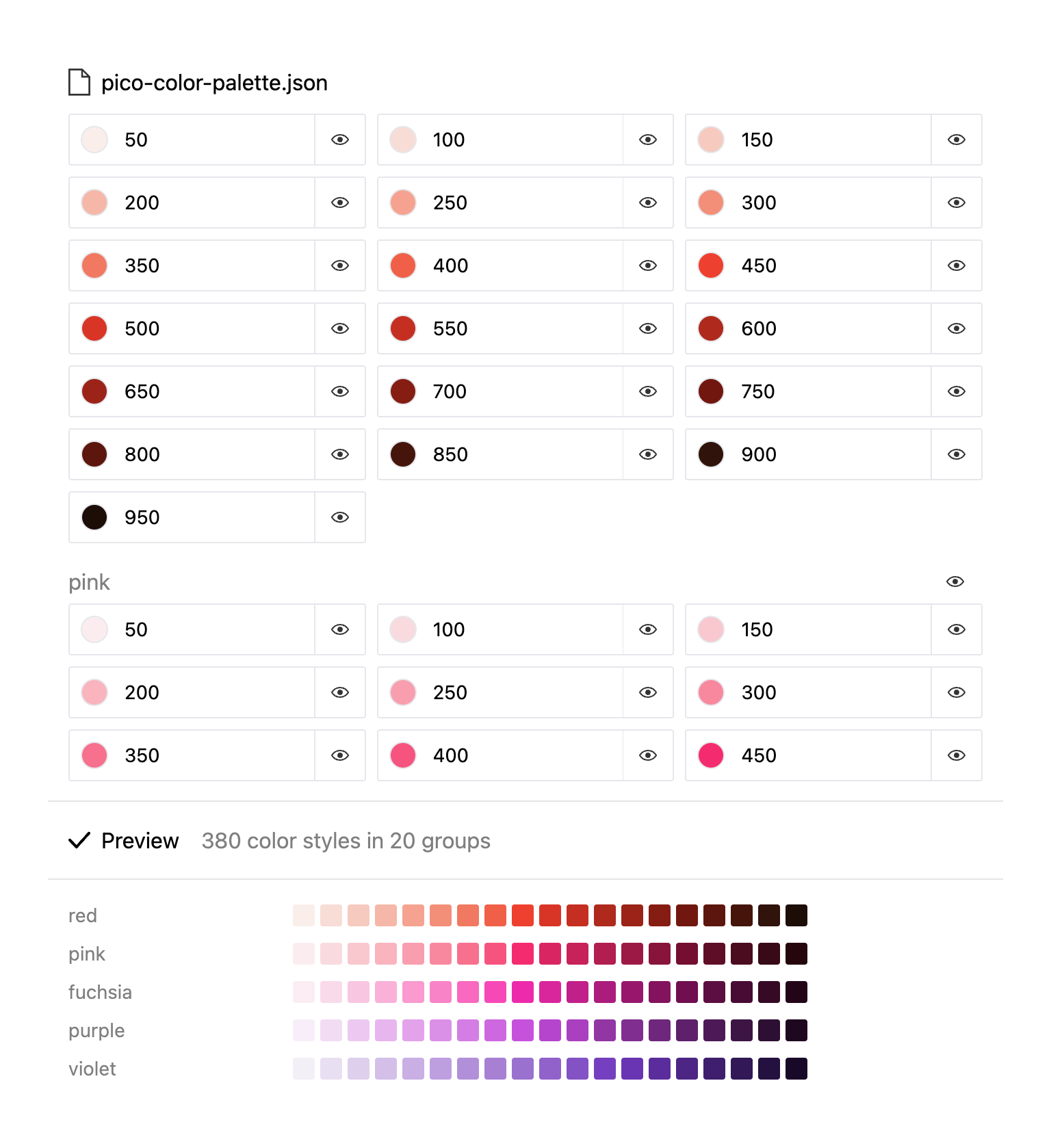
下载包含全部颜色的 .json 文件: